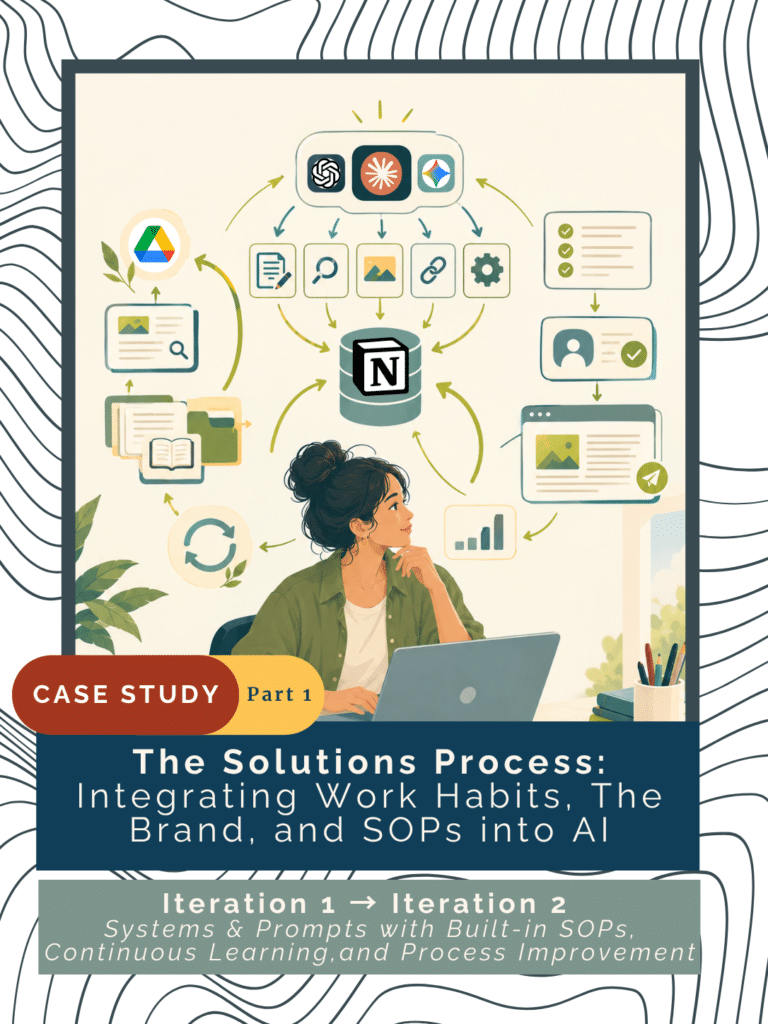
[Expand for Full Series Overview] This is Iteration 2 (Part 2) in Revamping the Prompts and Management Infrastructure of the Blog Publishing Workflow.
This revamp builds on the first stage of Nivationist’s manual-to-AI-assisted implementation, “Blog Publishing Workflow With Claude AI: Cutting Time by 36%.” While the first stage focused primarily on reducing production time, this next stage moves beyond the time reduction metric by embedding parameters, SOPs, and management infrastructure into the AI-assisted workflow. The goal is to standardize how AI supports each publishing phase (e.g., final editing, identifying highlights, internal/external link suggestions, SEO, and image generation) while teaching AI to work within Nivationist’s voice, brand, strategy, and work habits, including learning while executing.
- Part 1: Standardized Publishing Architecture & Operational Pain Points
- An inside look at the friction that reshaped each stage of the blog publishing workflow. We trace the journey from task-specific AI prompts to standardized, modular processes, showing how scoped AI discovery, richer resource and reference integration, continuous improvement practices, and modular SOP/prompt management became foundational to a more scalable publishing infrastructure.
- Part 2: Prompt Transformation, Multi-AI Execution & Infrastructure in Action
- A step-by-step walkthrough of how the new publishing infrastructure was actualized. Featuring before-and-after prompt comparisons and reusable templates, platform experiments across Claude, ChatGPT, and Gemini, and connected Notion database schemas. It shows how each publishing phase was transformed from an individual AI task into a standardized, repeatable, and continuously improvable workflow.
Core Innovations in this Revamp
Embedded Workflow Standardization via SOP-Driven Prompts: Engineered standardized operating procedures (SOPs) directly into system prompts, enforcing consistent formatting, tone, and operational guidelines across automated workflows.
Human-Approved Decision Gates: Shifting AI from autonomous execution to structured editorial support—utilizing severity markers, reasoning, and pre-execution confirmations so human decision-making remains front and center.
Dynamic Resource & Link Diversification: Formulated advanced prompting strategies to dynamically serve varied, contextually relevant link resources, preventing repetitive recommendations and enhancing content depth.
Connected Database Infrastructure: Replacing static, copy-pasted Notion tables with dynamic, filtered database views to manage internal and external assets without adding maintenance overhead.
Modular Prompt Optimization: Developed reusable, structured prompt modules that streamline iteration, reduce latency, and maintain brand voice across diverse content channels.
Best-Fit Multi-AI Orchestration: Strategically distributing workflow steps across Claude, ChatGPT, and Gemini based on platform strengths (such as database scanning vs. image generation) while utilizing shared instruction layers to eliminate repetitive context.
Dual-Purpose Execution & Learning: Structuring complex tasks like SEO into multi-phase workflows that simultaneously generate optimized metadata and deliver best-practice learning to the creator.
Controlled Visual Identity Systems: Moving away from unpredictable image generation by establishing reusable reference catalogues and mandatory concept selection prior to final asset rendering.
All Posts in this Series
[Previous Post] Streamline Content Operations: An AI Blog Publishing SOP
[Current Post] AI Blog Publishing SOP: Prompts that help You Learn/Automate
- ACTUALIZATION OF SOLUTIONS
- Prompt Revamp (Before/After): Final Edits & Identifying Highlights
- Comparison Chart (Before/After): Prompt for Final Edits & Identifying Highlights
- Prompt Template: Final Edits & Identifying Highlights
- Prompt Revamp (Before/After): SEO Generation & Learning
- Comparison Chart (Before/After): Prompt for SEO
- Prompt Template: SEO Generation & Learning
- Prompt Revamp (Before/After): Link Suggestions
- Comparison Chart (Before/After): Prompt for Link Suggestions
- Prompt Template: Link Suggestions
- System Revamp (Before/After): Link Management
- Comparison Chart (Before/After): Link Management System
- Prompt Revamp (Before/After): Featured Image Generation
- Comparison Chart (Before/After): Featured Image Generation
- System Revamp (Before/After): Featured Image Generation
- Comparison Chart (Before/After): General AI Instructions & Workflow Management System
ACTUALIZATION OF SOLUTIONS
Prompt Revamp (Before/After): Final Edits & Identifying Highlights
Before: Relied on AI to produce a finished editorial output, leaving more of the review, correction, and implementation burden to the human and making the AI’s recommendations harder to evaluate consistently → After: Turns AI into a structured editorial support layer that improves review clarity, standardizes decision-making, keeps final editorial control with the human, and makes approved changes easier to implement and quality-check.
Comparison Chart (Before/After): Prompt for Final Edits & Identifying Highlights
| Workflow Capability | Before Revamp | After Revamp |
| AI proofreading & voice preservation | ✓ | ✓ |
| Structured editing recommendations | — | ✓ |
| Original text + reason + severity | — | ✓ |
| Human accept/reject/modify | Partial | ✓ |
| Approved edits → document implementation | — | ✓ |
| AI-assisted highlight selection | ✓ | ✓ |
| Human approval of highlights | Partial | ✓ |
| Automated application of approved changes | — | ✓ |
| Built-in final quality check | — | ✓ |
| AI recommends → Human decides → System implements | Partial | ✓ |
Prompt Template: Final Edits & Identifying Highlights
[This Iteration’s Prompt Template] for Final Proofreading & Identifying Highlights
1. Context
- Describe the organization or project, author, audience, and AI’s role.
2. Editing Principles
Create a bullet-pointed list of Dos/Don’ts:
- Establish voice-preservation rules.
- Define what AI should and should not change.
- Define the types of issues and edge cases AI should flag and ask for additional permission and advice from you.
3. Source & Scope
- Identify the document/content AI should review.
- Establish boundaries for what sources AI should use, and explicitly ask AI to limit its analysis and discovery only to the referenced scope and resources, if applicable.
Phase 1 – Proofreading
4. Proofreading Review
- Request all suggested edits to be displayed within a table with the following properties:
- Severity
- Original text
- Suggested revision
- Reason
- Human approval
- Define each property and set additional criteria for each, if applicable.
5. Human Approval
- Request that AI give you the option to accept, reject, or modify each suggestion.
- Set an approval confirmation before implementing changes or advancing to the next step (if the prompt contains multiple tasks).
6. Implementation
- Apply only approved edits to the source document.
- Add mechanisms to support the ease of manual or automated implementation where appropriate. Automated implementation is only experimental and available to work within Claude AI.
Phase 2: Identifying Highlights
7. Highlight Identification
- Define the # or number range of highlights you want.
- Request all suggested highlights to be displayed within a table with the following properties:
- Suggested highlight
- Reason
- Human approval
- Define each property and set additional criteria for each, if applicable.
8. Human Approval
- Request that AI give you the option to accept or reject each suggestion.
- Set an approval confirmation before implementing changes or advancing to the next step (if the prompt contains multiple tasks).
9. Implementation
- Apply only approved edits to the source document.
- Add mechanisms to support the ease of manual or automated implementation where appropriate. Automated implementation is only experimental and available to work within Claude AI.
10. Final Quality Check
- Verify voice preservation, accuracy, consistency, formatting, and readiness for publication.
Prompt Revamp (Before/After): SEO Generation & Learning
Before: SEO was primarily a metadata-generation task, with limited opportunity to understand or improve the reasoning behind each decision → After: SEO becomes an iterative learning process where AI provides guidance and the user actively revises, evaluates, and approves their own SEO decisions, strengthening both discoverability and long-term SEO judgment.
Comparison Chart (Before/After): Prompt for SEO
| SEO Capability | Before Revamp | After Revamp |
| SEO metadata generation | ✓ | ✓ |
| Search intent analysis | — | ✓ |
| SEO best-practice guidance | — | ✓ |
| Explain recommendations | Partial | ✓ |
| Encourage user revision & rewriting | — | ✓ |
| Human editing & approval | Partial | ✓ |
| Current SEO learning/resources | — | ✓ |
| Featured-image SEO guidance | Partial | ✓ |
| Continuous prompt improvement | — | ✓ |
| Reader-first SEO decision-making | Partial | ✓ |
Prompt Template: SEO Generation & Learning
[This Iteration’s Prompt Template] for SEO Metadata Generation and Learning
1. Context
- Describe the organization or project, author, audience, brand voice, and AI’s role.
2. SEO Principles
- Prioritize readers over search engines.
- Preserve authentic voice.
- Avoid clickbait, keyword stuffing, exaggerated claims, and generic marketing language.
- Encourage learning and continuous improvement.
3. Source & Scope
- Identify the document/content and supporting image for alt description AI should review.
- Establish boundaries for what sources AI should use, and explicitly ask AI to limit its analysis and discovery only to the referenced scope and resources, if applicable.
4. Search Intent for Post
- Request AI to identify your audience’s primary search intent for the blog post, and explain how the content’s alignment or gaps satisfy the audience’s needs.
5. Keyword Strategy for Post
- Recommend a list (specify #) of focus keyphrases, and explain relevance, natural fit, and the pros/cons of each.
- Recommend a list (specify #) of secondary keywords and explain relevance, natural fit, and the pros/cons of each.
6. SEO Metadata for Post
- Recommend a list (specify #) of SEO titles and explain the pros/cons of each.
- Recommend a list (specify #) of Meta descriptions and explain the pros/cons of each.
- Recommend a list (specify #) of URL slugs and explain the pros/cons of each.
- Recommend a list of (specify #) WordPress excerpts and explain the pros/cons of each.
7. Human Review & Iteration
- Ask AI to explain potential improvements to the prompt itself.
- Ask AI to analyze any of the user’s modifications, and ensure the final output post-modification satisfies all criteria and best practices.
- Ask AI to provide alternatives when useful
- Ask AI to encourage the user to modify or rewrite based on the latest SEO best practices
- Set final confirmations for each SEO element before proceeding to the next step.
8. Learning & Continuous Improvement
- Let AI teach relevant SEO best practices to you and allow it to use your own blog post as an example.
- Let AI provide trustworthy resources with links about SEO you can save for future reading.
- Let AI generate a to-do list with meaningful prompt/workflow improvements you can save for future task prioritization and allocation.
9. Final Quality Check
A bullet-pointed list for final checks of the following before producing the final output:
- SEO alignment
- Reader-first language
- Voice preservation
- Accuracy
- Consistency
- Accessibility
Prompt Revamp (Before/After): Link Suggestions
Before: The prompt generated mostly repetitive external article recommendations from a narrow pool of high-ranking sources, with limited quality checking, source/medium diversity, anchor-text guidance, and human-review structure → After: The prompt evaluates internal, Readwise, and newly discovered external resources against reader value, contextual relevance, credibility, recency, and diversity, while generating reviewable anchor-text and placement recommendations before implementation.
Comparison Chart (Before/After): Prompt for Link Suggestions
| Capability | Before Revamp | After Revamp |
| Internal link recommendations | ✓ | ✓ |
| Readwise resource recommendations | Partial | ✓ |
| New external resource discovery | ✓ | ✓ Dedicated phase |
| Reader-value evaluation | Partial | ✓ |
| Contextual relevance evaluation | Partial | ✓ |
| Source credibility checks | — | ✓ |
| Recency / page-error checks | — | ✓ |
| Source diversity | Limited | ✓ |
| Medium diversity | Mostly articles | ✓ Articles, videos, podcasts, books, etc. |
| Anchor-text generation | — | ✓ |
| Anchor-text quality review | — | ✓ Human approval |
| Placement recommendation | Partial | ✓ Specific preceding sentence |
| Human approval before implementation | ✓ | ✓ Structured by phase |
| Recommendation volume control | Limited | ✓ Per-category limits |
| Automatic implementation | — | ✓ Optional after approval |
| Overall role | Link discovery | Link curation + editorial decision support |
Prompt Template: Link Suggestions
[This Iteration’s Prompt Template] for Link Suggestions
The following prompt has only been experimented with and implemented via Claude AI because Claude is the only AI tool, compared to ChatGPT and Gemini (in its Free Plan), able to scan databases and bypass private account security once you permit it to access.
1. Context
- Describe the organization or project, author, audience, and AI’s role.
- List what makes a good link suggestion and how it should satisfy the audience, support the blog post, and other goals/needs.
Disclaimers:
- Ask AI not to maximize the number of links but only recommend links that are naturally helpful in achieving your above-listed goals/needs.
- Ask AI to never force a link, generate a false link, or recommend a link that is currently an error. If there are no suitable links, it should say so.
2. Linking Principles
Create a bullet-pointed list of Dos/Don’ts for the following:
- Links (internal, external, and other link categories)
- Anchor text
- Variety
- Edge-cases
3. Task
- Context file descriptions (tool specification, reminders of what context files are needed, scope of search limited only to the explicit file/reference link within the chat).
- Establish boundaries for what sources AI should use, and explicitly ask AI to limit its analysis and discovery only to the referenced scope and resources, if applicable.
Phase 1: Internal Link Opportunities
- Specify areas within the blog post draft that you don’t want link suggestions on (e.g., in-page blog post template/checklists, post highlight sections, etc.)
- Define the number of internal links you would like AI to find.
- Add a reference URL linked to the database, page, or table that contains all of your published blog posts and pages.
Phase 2: Readwise External Resources
- Define the number of saved external resource links you would like AI to find.
- Add a reference URL linked to the database, page, or table that contains your saved external resources.
Readwise is a platform where you can save external, online resources alongside any highlights, notes, etc. you have within the saved resource itself. All saved resources could be consolidated and automatically synced into Notion as an easy reference for AI to scan.
Special display criteria for Phase 1-2
- Specify how the link suggestions for Phase 1-2 should be displayed within a table. List out all table properties (e.g., suggested link placement location, suggested anchor text, destination URL, reasons for recommendation, etc.)
- Define what each table property means and its respective criteria.
- Define approval or rejection criteria for links suggested.
Phase 3: New Resource Recommendations (from the Internet)
- Define what constitutes a new resource (e.g., not from Readwise or the Internal Links Library).
- Ask AI to only recommend external links that are from reputable, credible, and trustworthy websites. Try Mike Caulfield’s SIFT method for quickly checking whether a source is credible before you link to it.
- Ask AI to suggest recommendations of various varieties.
- Disclaimer: only recommend resources that naturally fit and never invent URLs.
- Specify how the link suggestions for Phase 1-2 should be displayed within a table. List out all table properties (e.g., suggested link placement location, suggested anchor text, destination URL, reasons for recommendation, etc.)
- Define what each table property means and its respective criteria.
- Define approval or rejection criteria for links suggested.
[Optional] Phase 4: Automatically add all approved links and their respective anchor texts within the final draft on Google Docs.
Final Review:
- A list of bullet points of all disclaimers, criteria, and important reiterations of expected outputs.
System Revamp (Before/After): Link Management
Before: Link resources were maintained in static, increasingly long AI-generated tables that were difficult to update, search, separate by use case, and scale with Nivationist’s growing content library → After: Link resources are managed through continuously updated database views that connect the content library and research resources to the link-suggestion workflow, creating a scalable source of truth without requiring repeated manual table rebuilding.
Comparison Chart (Before/After): Link Management System
| Capability | Before Revamp | After Revamp |
| Published post library | Static AI-generated table | ✓ Existing Blog Management Database |
| Internal link source | Copied/static table | ✓ Published-post database view |
| External research source | Static/copy-pasted table | ✓ Readwise → Notion database |
| Database connection | — | ✓ |
| Continuously updated | — | ✓ |
| Searchability | Declines as table grows | ✓ |
| Use-case separation | — | ✓ Dedicated views |
| Link discoverability | Increasingly difficult | ✓ Filtered by responsibility |
| Source of truth for AI | Regenerated prompt input | ✓ Referenced databases/views |
| Manual prompt preparation | Copy/paste growing table | ✓ Reference database/view |
| Scalability | Increasing maintenance burden | ✓ Designed for content growth |
| System maintenance | Low upfront / high future upkeep | Higher upfront / lower long-term upkeep |
| Integration with content operations | Isolated | ✓ Connected to existing system |
| Overall role | Link inventory | Link management infrastructure |
Prompt Revamp (Before/After): Featured Image Generation
Before: Image generation depended on repeatedly attaching reference images and the AI immediately generating from an unpredictable combination of the prompt and conversation context, resulting in inconsistent style, limited generation attempts, and little control over the final concept → After: Image generation uses a curated, periodically refreshed reference catalogue and a two-stage process where the AI first proposes concepts for human selection, then generates only from the approved concept, current prompt, and designated references.
Comparison Chart (Before/After): Featured Image Generation
| Image Generation Capability | Before Revamp | After Revamp |
| Art-style consistency | Variable | ✓ Controlled reference catalogue |
| Reference images | Reattached to prompts | ✓ Reusable catalogue |
| Reference scope | Large collection / prompt-dependent | ✓ Small, curated selection |
| Style vs. concept | Often combined | ✓ Separated |
| Concept preview | — | ✓ 2–3 concepts before generation |
| Human concept selection | — | ✓ Select/modify before generation |
| Generation timing | Immediate | ✓ After concept approval |
| Generation context | Potentially influenced by chat history | ✓ Current prompt + approved concept + designated references |
| Unintended context carryover | Possible | ✓ Explicitly restricted |
| Free-plan generation efficiency | Limited by repeated attempts/references | ✓ Fewer unnecessary generations |
| Visual variety | Randomness can produce inconsistency | ✓ Controlled consistency with room for variation |
| Reference catalogue maintenance | — | ✓ Periodic rotation/review |
| Risk of visual repetition | Uncontrolled | ✓ Reduced through catalogue rotation |
| Overall approach | Generate → evaluate → regenerate | Concept → approve → generate → refine |
[This Iteration’s Prompt Template] for Featured Image Generation
1. Context
- Describe the organization or project, and AI’s role.
- Define the primary goal of each image generation (e.g., must follow a consistent design language)
- Disclaimer: Ask AI to never generate an image unless you’ve approved one of the generated 1- 3 image concepts from the context provided.
- Disclaimer: Always only reference the context files in the current round of conversation; never reference earlier contexts within the chat or other chats.
2. Image Generation Process
- Ask AI to generate 1-3 concepts and a description of the result.
- Reiterate that AI must never generate an image unless you’ve confirmed one of its image concepts.
- Include a reference link to the Image reference catalogue (a collection of good image results with the brand colors, aspect ratio, composition, and vibe that show the level of consistency you want for the next generated image).
3. Image Generation Guidelines & Principles
Include the aspect ratio and resolution quality of your images.
Character specifications
Emotional or general vibe of the images.
Composition (e.g., negative space, rule of thirds, etc.)
Unwanted or must-have elements within images.
Include the hex codes of your brand.
System Revamp (Before/After): Featured Image Generation
Before: Content workflows depended on manually copying prompts from Google Docs into new AI chats, with limited coordination between prompts, AI platforms, shared context, and Free Plan usage → After: A distributed AI execution database that connects each workflow step to its best-fit reusable AI prompt, platform, resources, and sequence, while shared instructions maintain consistent Nivationist context, work preferences, learning behavior, and action capture across platforms.
Finding the Best Fit AI Tool for Each Workflow Step
Experiment Approach
Each workflow step was tested across Claude, ChatGPT, and Gemini during the actual blog publishing in accordance with the bi-weekly schedule.
Experiment Results
Claude is the most limited and the slowest to process requests with the Free Plan, but the most powerful.
It’s reserved for workflows that require connection to external tools, especially databases in Notion and final drafts in Google Docs. The link suggestion prompt is only applicable to Claude as of now.
It’s able to:
- Read and scan the referenced database and/or its filtered views within Notion once you’ve permitted it to connect.
- Read and automatically insert approved edits, highlights, links, etc. into the final draft of the post in Google Docs.
- Creating artifacts (e.g., custom documents, dashboards, etc.).
It’s bad at:
- Generating images that follow what is expected of a good featured image for a blog and follow instructions to adhere to the art style of a collection of reference images.
ChatGPT is the most conversational and the most “human.” It’s exceptional for tasks that require recommending and/or generating elements that require the interpretation of audience needs and is the best at respecting Nivationist’s brand voice. Learn how to keep AI-assisted work sounding like you so standardizing never flattens your voice.
The usage of reusable prompts (i.e., Projects) is limited on the Free Plan, especially when factoring in chats that have attachments.
It’s the best at generating featured images, SEO, and excavating insights from conversations as content ideas and strategy recommendations.
It’s able to:
- extract and make sense of long AI chats into “seeds” that help to remove writer’s block in content production.
- recommend strategies that are aligned with the human side of Nivationist’s brand initiatives.
- generate consistent featured images that are ideal for blog posts and adhere to the brand’s specified design language.
Gemini is the most versatile, but also the chat with the most professional voice. It is free and doesn’t have a limit, even with attachments. It’s often used when Claude and ChatGPT have exceeded their limits, and for workflow steps that don’t require external connections and explicit following of Nivationist’s brand voice.
It’s best at accessing and summarizing external resources to be used within the Knowledge Hub and for final editing/identifing of highlights.
🔵 Exclusively done on the AI platform; unable to be accomplished on other AI tools (Free plan).
🟢 Best fit for the task.
🟡 Used as a supporting AI tool when the AI tool with the best fit has met its Free Plan limit.
| Claude | ChatGPT | Gemini | |
| Final Editing & Identifying Highlights | 🟡 | 🟢 | 🟡 |
| Link Suggestions | 🔵 | _ | _ |
| SEO | 🟡 | 🟢 | 🟡 |
| Featured Image Generation | _ | 🔵 | _ |
Comparison Chart (Before/After): General AI Instructions & Workflow Management System
| Capability | Before Revamp | After Revamp |
| Prompt storage | Google Docs | ✓ Docs + reusable AI projects/prompts + Workflow database |
| Prompt execution | Manual copy/paste | ✓ Reusable within AI platforms |
| AI platform selection | Manual | ✓ Best-fit platform mapped to workflow step |
| Free Plan utilization | Concentrated | ✓ Distributed across platforms |
| Workflow sequence | Google Doc tabs | ✓ Workflow database |
| Nivationist context | Repeated/manual | ✓ High-level instruction layer |
| Brand voice | Prompt-specific | ✓ Shared in general instruction |
| AI personality | Prompt-specific/implicit | ✓ Shared in general instruction |
| Work habits | Repeated/manual | ✓ Shared in general instruction |
| Output presentation preferences | Repeated/manual | ✓ Shared in general instruction |
| Learning during execution | Inconsistent | ✓ Learning mode described in shared instruction. |
| Action extraction | Manual | ✓ Automatic summarization of actions after chat conversation |
| Supporting resources | Prompt-dependent | ✓ Mapped in workflow database |
| Prompt/platform flexibility | Limited | ✓ Modular and swappable |
| Overall model | Prompt copying and execution | Distributed AI orchestration + shared AI context |
🔗 See What to Explore Next [toggle/expandable section]
All the Posts in this Series
[Previous Post] Streamline Content Operations: An AI Blog Publishing SOP
[Current Post] AI Blog Publishing SOP: Prompts that help You Learn/Automate
Summary of This Case Study Series
During the early stages of Nivationist, a simple system worked well enough to collect ideas and draft early blog posts. But after launching official blogging operations, that fragmented setup quickly hit its limits. This two-part case study details how we rebuilt Nivationist’s content operations from the ground up, transforming an ad-hoc idea collector into a scalable, end-to-end production engine.
- Part 1: Standardized Publishing Architecture & Operational Pain Points: An inside look at the friction that reshaped each stage of the blog publishing workflow. We trace the journey from task-specific AI prompts to standardized, modular processes, showing how scoped AI discovery, richer resource and reference integration, continuous improvement practices, and modular SOP/prompt management became foundational to a more scalable publishing infrastructure.
- Part 2: Prompt Transformation, Multi-AI Execution & Infrastructure in Action: A step-by-step walkthrough of how the new publishing infrastructure was actualized. Featuring before-and-after prompt comparisons and reusable templates, platform experiments across Claude, ChatGPT, and Gemini, and connected Notion database schemas. It shows how each publishing phase was transformed from an individual AI task into a standardized, repeatable, and continuously improvable workflow.
Core Innovations in this Revamp
Embedded Workflow Standardization via SOP-Driven Prompts: Engineered standardized operating procedures (SOPs) directly into system prompts, enforcing consistent formatting, tone, and operational guidelines across automated workflows.
Human-Approved Decision Gates: Shifting AI from autonomous execution to structured editorial support—utilizing severity markers, reasoning, and pre-execution confirmations so human decision-making remains front and center.
Dynamic Resource & Link Diversification: Formulated advanced prompting strategies to dynamically serve varied, contextually relevant link resources, preventing repetitive recommendations and enhancing content depth.
Connected Database Infrastructure: Replaced static, copy-pasted Notion tables with dynamic, filtered database views to manage internal and external assets without adding maintenance overhead.
Modular Prompt Optimization: Developed reusable, structured prompt modules that streamline iteration, reduce latency, and maintain brand voice across diverse content channels.
Best-Fit Multi-AI Orchestration: Strategically distributing workflow steps across Claude, ChatGPT, and Gemini based on platform strengths (such as database scanning vs. image generation) while utilizing shared instruction layers to eliminate repetitive context.
Dual-Purpose Execution & Learning: Structuring complex tasks like SEO into multi-phase workflows that simultaneously generate optimized metadata and deliver best-practice learning to the creator.
Controlled Visual Identity Systems: Moving away from unpredictable image generation by establishing reusable reference catalogues and mandatory concept selection prior to final asset rendering.